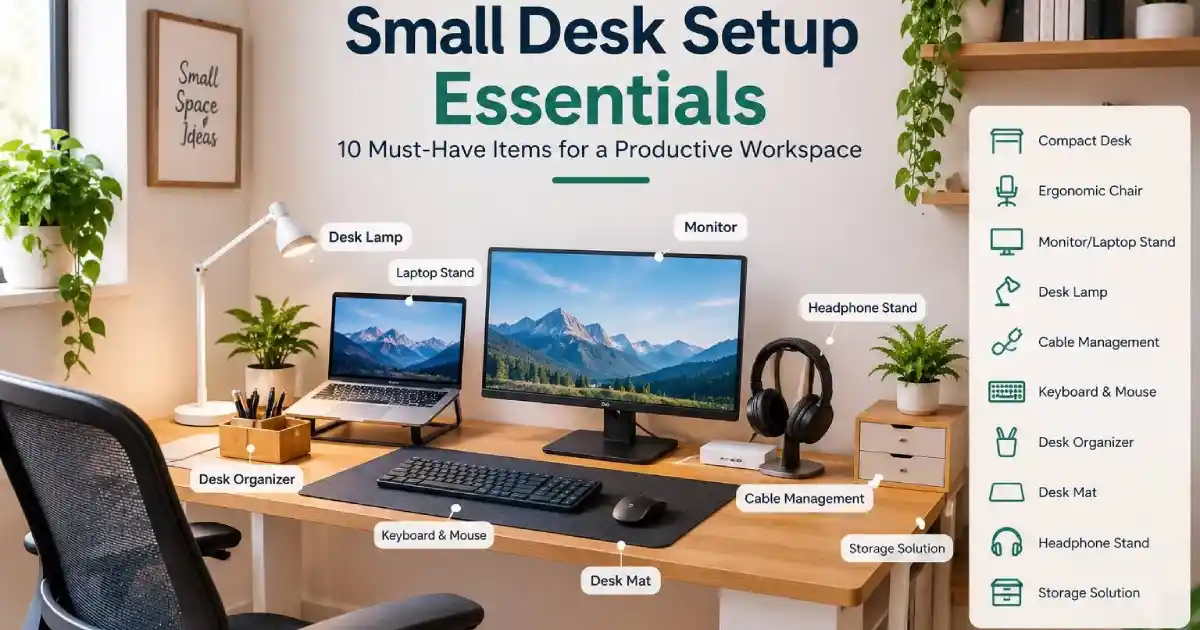
Small Desk Setup Essentials: 10 Must-Have Items for a Productive Workspace
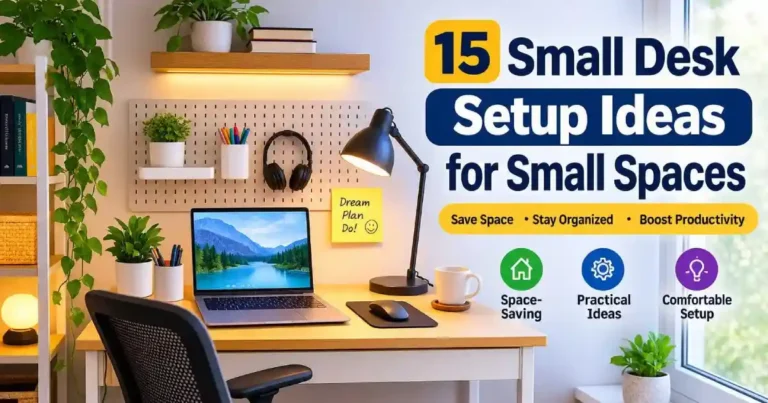
No matter how small your space is, a productive work area can be created using some essential small desktop items. Whether you’re looking for some great small desktop organisation ideas, or simply want to create a compact desktop setup, there are many Small Desk Setup Essentials items to include to get the best out of the space you have.
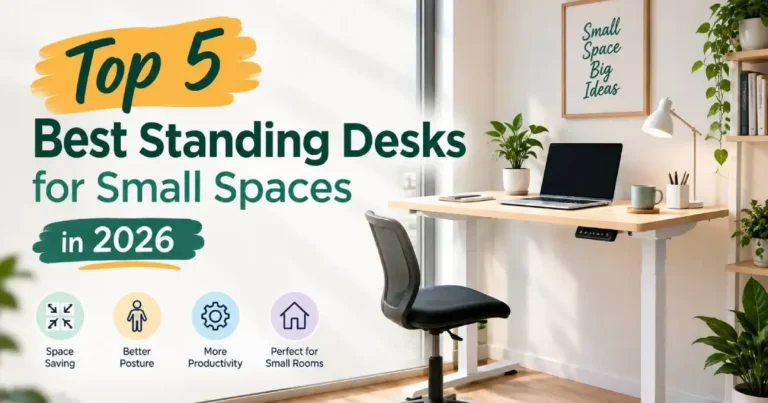
No matter if you’re working from home, studying or simply using your desktop for regular computer use, it’s important to select the right items so you can get the most out of your space. Choosing the best small standing desks can make a massive difference to your comfort and posture whilst ensuring you stay active throughout your day. For small spaces, check out our guide to the best standing desks for small spaces to see the entire desk.
Here we’ll take a look at 10 essential items you should include in your work area to keep you productive, what to look out for and some top tips to help you create an affordable small desktop setup.
1. Choose a Compact Desk as One of Your Small Desk Setup Essentials
The first thing you’ll need for your small home setup is a compact desk. This will give you ample space for your computer, keyboard, mouse and all the other bits and pieces. A compact desk with a practical design and some storage would be ideal if you require it. You’ll end up with a neat, comfortable and efficient home.
Before choosing a desk, think about how much space you have. If you mainly use your laptop then you can get away with a smaller desk. If you have an external monitor and lots of accessories then look for a slightly larger design.
Look for a compact desk with:
- Compact size – find a desk that fits well within your space but still gives you plenty of room.
- Sturdy – pick one that feels robust and can cope with your computer.
- Storage – find a desk with drawers or shelving to keep your stationery and other small items in a tidy fashion.
- Cable management – look for desks with cable ports or cable management.
- Comfortable – choose a desk that allows you to work comfortably.
If you’re very space constrained then you might want to look at a corner or wall mounted desk. Alternatively a compact desk with open space underneath can be a good option to provide some flexibility and help make your small room less cluttered.
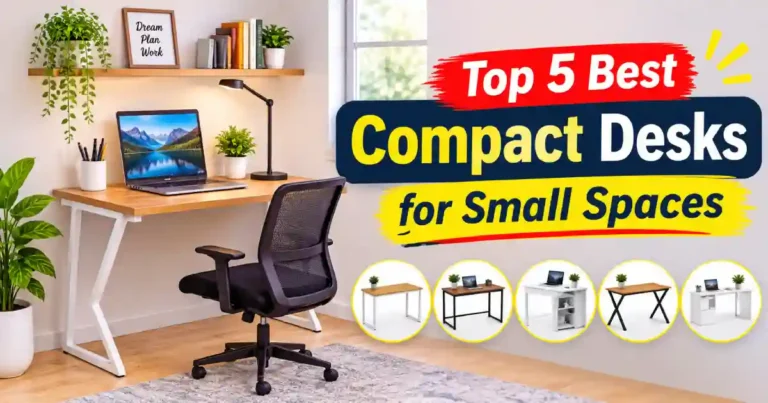
To choose the right desk for your workspace, check out our this guide. Top 5 Best Compact Desks for Small Spaces
2. Ergonomic Chair for a Small Desk Setup
An ergonomic chair is one of the most useful items that will help create a comfortable working environment at your desk. Look out for an adjustable chair that can be adapted to match your desk and body. An adjustable seat height, good back support and comfortable seat will make your working environment more practical. Make sure to choose one that will fit within the space you have.
Things to look out for:
- Seat Height: Choose one that has an adjustable seat height so that your feet can be flat on the floor/footrest.
- Back Support: Make sure the chair offers good back support.
- Comfortable Seat: Look out for padding, width and depth of seat.
- Armrests: If the chair has adjustable or correct armrests you can find a comfortable working position.
- Space Saving: If you have a small home office look out for chairs that can tuck underneath your desk.
Make sure to look out for the size and measure how much space you have underneath your desk. If you have a large chair it could be too big for your small space.
To choose the right Ergonomic Chair for your workspace, check out our this guide. Best Ergonomic Chair for a Small Home Office
3. Monitor or Laptop Stand
A monitor/ laptop stand is a very useful small item to include in your home office set-up. It will help you raise your monitor to the right height so your head and neck can be kept in a more natural position. The stand will also help you save some space on your desk by keeping your keyboard, books and any other small items in line with your monitor.
A laptop stand will give you some extra space to place a separate keyboard or small items. If you have an external monitor, a monitor stand with storage will give you extra space to place your books, pens and keyboard.
Things you may want to consider:
- Height adjustable – To help keep your monitor at a comfortable height.
- Sturdy – Ensure your stand is strong enough to hold your monitor/laptop.
- Small – Make sure you know what space you have on your desk.
- Storage – Some monitor stands have extra storage space for small items.
- Airflow – If using a laptop stand ensure you have enough airflow.
Tip: If you use a laptop as your main computer, ensure you have a laptop stand, external keyboard and mouse to give you more flexibility.
Adding a Monitor or Laptop stand to your compact desk setup will provide a higher viewable working area while also saving you valuable space. Discover how to get a more organised and efficient working area by taking a look at our guide on the Best Laptop Stand for Small Desk Setup.
4. Lighting
Lighting is an important consideration when designing your small desk. If you are using your desk in the evenings or if you have little natural light then having a desk lamp will help you to create a more comfortable and practical workspace. A desk lamp helps to illuminate your workspace for reading and writing. When choosing a desk lamp try to go for something small with brightness settings and a flexible design to save space.
A small LED desk lamp is a great choice for your small home office. Many come with adjustable arms, brightness and colour temperatures.
Features to look out for:
- Brightness settings – Choose a lamp with adjustable brightness.
- Flexible – Choose a lamp with an adjustable arm or head.
- Colour temperatures – Some lamps offer warm/neutral/cool lighting.
- Small – Try to go for a lamp with a small base or clamp.
- Easy to use – Look for lamps with simple controls.
Position your lamp so that it illuminates your workspace without causing any glare. If you are right handed then you may want to place your lamp on the left side to avoid casting any shadows whilst you are writing. Alternatively left handed people may prefer the other way round.
To learn about some of the best desk lights, check out our this guide. Best LED Light for Small Desk
5. Cable Management Essentials for a Small Desk Setup
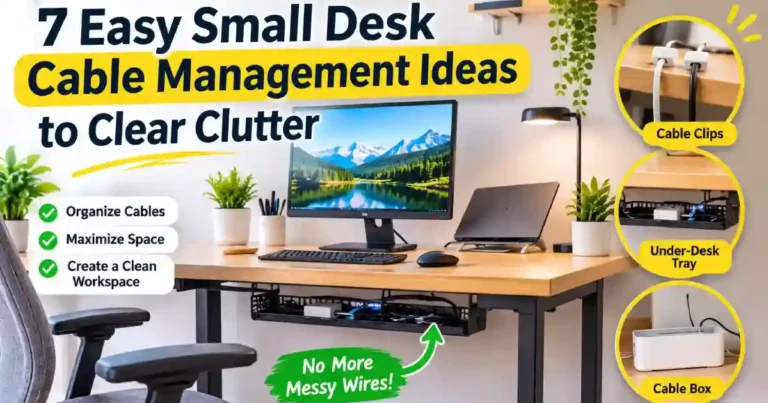
Cabling accessories are a key small desk setup essentials for keeping a small desk tidy. Without some sort of cabling accessories you can end up with a very untidy desk due to loose cables. Using some cabling clips, sleeves and trays will help keep your cables tidy and your desk easier to keep organised. Managing your cables in the right way will give you more space on your desk.
You do not have to purchase a high priced cabling product. You can use some simple accessories to help make a difference. If you use a laptop, monitor, keyboard, phone charger and other items on your desk.
Some useful accessories to consider using:
- Cable clips – To keep your frequently used charging cables in place.
- Cable sleeves – Keeps several wires in one place and will make your desk look tidier.
- Cable tray – Keeps your power strips and extra long cables underneath your desk.
- Sticky cable clips – Will stick onto an appropriate surface.
- Cable ties – Tie up your extra long cables.
Take into consideration how many cables you have to organise and where your power sockets are. If you are going to use a cable tray measure how much space you have underneath your desk.
Ensure you are not overloading your power strips for safety. Also ensure your cables are not getting tangled and that your cables are not getting squashed by your furniture.
To learn more about cable management, check out our article: 7 Easy Small Desk Cable Management Ideas to Clear Clutter
6. Wireless Keyboard and Mouse
A wireless keyboard and mouse are great tools to include in your small desk setup essentials to avoid any unnecessary cable mess. You will have greater flexibility with these tools as you won’t have any additional cables attached to your keyboard and mouse. Opt for a slimline wireless keyboard and an ergonomic mouse to maximise your desk space.
If you’re working within a small space then a slim keyboard could be beneficial. Some keyboards don’t have a separate number pad so this will give you additional space for your mouse. If you regularly use spreadsheets or enter numbers then a full keyboard may be better though.
Consider the following for your wireless keyboard and mouse:
- Compact design: Look for a mouse and keyboard that match your desk.
- Ergonomic: Ensure that your mouse and keyboard are the right size and shape. They should have an ergonomic design that allows you to use them comfortably for long periods
- Battery life: Compare how long the batteries last.
- Connection type: Look at how they connect to your device. Is it Bluetooth? USB Dongle? Or both?
- Compatibility: Ensure that the keyboard and mouse can be used with your computer/laptop.
Measure your desk space and consider how much you use your computer throughout the day. A slim wireless keyboard and mouse can be a useful tool for keeping your desk space to a minimum. If you are looking for more flexibility then separate accessories may be better for you.
To learn more about choosing the right wireless keyboard and mouse for a small desk setup essentials, check out our detailed guide How to Choose the Best Wireless Keyboard and Mouse for Small Desk Setups
7. Desk Organizer
A desk organiser is one of the best things to have when setting up your small desk. Having a small desk can mean that your pen, notebook, sticky notes, charging cables and USB can become an issue for you. Using a desk organiser means that you can keep your everyday essentials in one place. Try to find a small desk organiser with multiple compartments so that you can reduce clutter and still have your frequently used items easy to reach.
Try to find an organiser that you can fit in the space you have. Don’t make it too big so that it takes up space on your desk. You want to ensure that your essentials are easy to reach.
Some things to look for:
- Small – Ensure that it will fit well on your desk and doesn’t cause any issues with your computer or writing.
- Multiple Compartments – Having multiple compartments can help you organise your stationery, pens, charging items and more.
- Tower Design – A tower organiser or small shelf can save you space on your desk.
- Easy to Reach – Ensure that your frequently used items are easy to reach.
- Strong Materials – Find something that is strong, easy to clean and perfect for everyday use.
Take a look at what you will be storing. This will help you find the right number of compartments to suit your needs.
Want to pick the perfect desk organizer for your compact workspace? Check out our detailed guide on Best Desk Organizers for Small Desk Setups.
8. Desk Mat
A desk mat is another easy to add to your small desk setup essentials and will help give an organised and comfortable work area. It can help to provide an area for your keyboard and mouse plus help to prevent scratches on your desk. When choosing your desk mat ensure to find a size which will fit well within your workspace. Picking a neutral colour and easy to clean material can also help keep your workspace looking clean and organised.
There are many different sizes, materials and styles of desk mats. It is important to pick the right size for your small workspace.
consider when choosing a desk mat:
- Appropriate size – Ensure the size of your mat will fit in your available workspace.
- Comfort – Pick a material which will be comfortable for your hands plus work well with your mouse.
- Easy to clean – Think about a material which will be easy to wipe clean.
- Non-slip base – This can help to keep your mat in place.
- Minimalistic Style – Choose neutral colors and minimal patterns to match your small home office decor.
Before purchasing, make sure to check the size of the mat and what material care is required. If you use your mouse often, make sure the surface will work with your preferred mouse.
To choose the best desk mat for your small workspace or to learn more about them, check out our guide on How to Choose the Best Desk Mat for a Small Desk Setup.
9. Headphone Stand
This can be a useful piece of small furniture when setting up your desk. If you often use your headphones then a headphone stand can assist you to keep your desk free of any extra clutter. This will allow you to have a dedicated place to store your headphones and will make it easier to find your headphones. Select a small stand so it fits your desk.
While a headphone stand isn’t an absolute necessity, it can be a highly practical addition to your workspace. However, if you rarely use headphones, it’s best to skip it altogether to keep your small desk clean and clutter-free.
Things to consider:
- Small – Make sure your stand isn’t too large.
- Below desk – A below desk headphone holder can save space.
- Easy to reach – Place your holder in a place that makes it easy to reach.
- Appropriate – Ensure your holder is the right size for your headphones.
Whilst purchasing a headphone stand think about whether you will be using one on your desk or below your desk. If you don’t have much space on your desk then an attached holder may be the best option.
To choose the perfect headphone stand for your compact workspace, check out our guide on the 5 Best Headphone Stands for a Small Home Office.
10. Small Storage
If you have limited space on your desk, using storage solutions will help you stay organised without overcrowding your desk. Store any excess items in drawers, shelving, boxes or upright storage.
Depending on how much space you have, choose the best storage option for you. If you have limited space on your desk, you can try using upright storage or wall mounted shelving to make the most of the space above your desk. However if you do have space underneath your desk, you can use a small drawer set to give you extra space.
Consider some of the following:
- Boxes – great for storing stationery, cables and any small accessories.
- Drawers – great for separating small items.
- Upright Shelving – makes use of wall space to store books, notebooks and often used items.
- Under Desk Drawers – great for using the space underneath your desk.
- Stackable Storage – great for storing items upright if you don’t have a lot of space for multiple items.
Before purchasing any storage accessories, think about what you actually need to store and how much space you have. Don’t include storage that isn’t necessary to organise your items. This can make your workspace look messy due to having too many storage containers.
Just keep anything you use often easily accessible and anything else in your drawers, shelving or boxes.
Keep your workspace neat and functional with the right storage options. Explore these 7 Best Small Desk Storage Solutions for a Clutter-Free Workspace to discover practical ways to organize stationery, accessories, and everyday essentials while making the most of your limited desk space.
Click this link to check out the essential accessories for a small desk setup on Amazon.
Affiliate Disclosure: As an Amazon Associate, I earn from qualifying purchases. This means I may earn a commission if you purchase through qualifying links, at no additional cost to you. Learn more.
How to Create an Efficient Workspace with Small Desk Setup Essentials
Along with choosing the right accessories there are some considerations about how you set up your desk.
You don’t need to get all 10 items here. Focus on getting the essentials that will help solve your main issues with your workspace.
Tips to help:
1. Prioritise the essentials
Set up your computer/laptop, keyboard and mouse so that you can use them comfortably. If you tend to sit at your desk for long periods of time, make sure you have a good chair to sit in and your screen at a comfortable height.
2. Keep your desk tidy
Ensure any items that you use regularly are easily accessible and anything you don’t use as often are stored away in drawers, shelves or boxes.
3. Cable management
Ensure your cables are kept tidy by using cable clips, ties or even a cable tidier underneath your desk. This can make it much easier to keep your workspace clean.
4. Maximise your space
If you have a small desk, try using wall shelves, vertical organisers or a stand with storage for your monitor. This can help you organise your essentials without taking up too much space.
5. Use a desk lamp
If you need extra light in your workspace, use a desk lamp. Ensure it’s positioned to give you enough light but doesn’t cause any glare on your screen.
6. Adjust your setup
As your working patterns change you may find your workspace needs adjusting. Get rid of any items you’re no longer using and adjust your accessories.
Creating an efficient workspace within a small space isn’t as simple as investing in some compact accessories. Whilst having the correct organisation tools, compact storage systems and tidy cable management will create a clean workspace, you need to ensure you have a strong base for your workspace. If you are looking to set up your very own space from scratch and transform an empty corner into an inspirational and efficient workspace, take a look at our complete guide on How to Create a Small Home Office.
Small Desk Setup Essentials Checklist
See this checklist to ensure you have everything you need:
- Small desk
- Comfortable ergonomic chair
- Monitor / laptop stand
- Desk lamp
- Cable management
- Wireless keyboard and mouse
- Small desk organisers
- Desk mat for your keyboard and mouse
- Headphone stand/holder (if required)
- Small storage
You do not need to buy all of these items, just pick what will make the most difference. For example, if there are lots of cables on your desk then start with the cable management. If your screen is too low then invest into a good monitor/laptop stand. If you struggle to keep your items organised then invest into a small desk organiser.
Invest into the items that will make the most difference to you based on your needs, space and budget.
Final Thoughts on Small Desk Setup Essentials
You don’t need lots of space to create an efficient small desk setup. With the right Small Desk Setup Essentials, including a suitable desk, comfortable chair, proper lighting, and practical organization tools, you can create a highly functional and productive workspace in your home.
Identify the main issues you are facing within your workspace. This could be due to the lack of organisation, poor cabling, uncomfortable screen height or just an untidy desk. Once you have addressed these issues, you can add any other accessories which will bring real benefits.
The most efficient small desk setup is not the one with the most products. Instead, the right Small Desk Setup Essentials will help you stay comfortable, organized, and focused while making the most of your limited workspace.
If you are looking for more ideas to help you improve your workspace, make sure to check out our guides on Small Desk Ideas and Small Home Office.