Top 5 Best Standing Desks for Small Spaces
When trying to set up your own standing desk for your small home office, it can take some time and effort to find the right desk. However, the best standing desks for small spaces can be the perfect compromise between comfort, organization and space. You will need to make sure that there is enough room for your laptop, monitor and any essentials you may need. Fortunately, there are many options out there when it comes to small standing desks, meaning there will be one for you no matter what size your bedroom or apartment is. In this guide, we will look at the top 5 best standing desks for small spaces so you can get the ultimate small standing desk setup.
Quick Comparison: Best Standing Desks for Small Spaces
| Standing Desk | Best For | Size to Consider | Main Advantage |
|---|---|---|---|
| ErGear Electric Standing Desk | Best compact option | 40 × 24 inches | Space-saving work surface |
| HUANUO Small Electric Standing Desk | Best for limited space and storage | 32 × 19 inches | Compact footprint and drawer storage |
| Claiks Electric Standing Desk | Best for a standard small office | 48 × 24 inches | More room for everyday equipment |
| FlexiSpot Comhar EG8 | Best for an organized workspace | 48 × 24 inches | Built-in drawer and charging features |
| UPLIFT V3 Standing Desk | Best premium option | 42 × 30 inches | Highly customizable & dual-motor stability |
Note: Dimensions and available configurations may vary by model. Check the manufacturer’s current specifications before purchasing.
1. ErGear Electric Standing Desk — Best Compact Standing Desk for Small Spaces
If you are short on space at home, finding a comfortable and functional workstation can be difficult. You might have a standard desk which gives you a large enough work area, but you might find that it isn’t as flexible as you would like due to not being able to switch between sitting and standing. Fortunately, the market now offers some of the best standing desks for small spaces, specifically designed to give you ergonomic flexibility without taking up too much room.
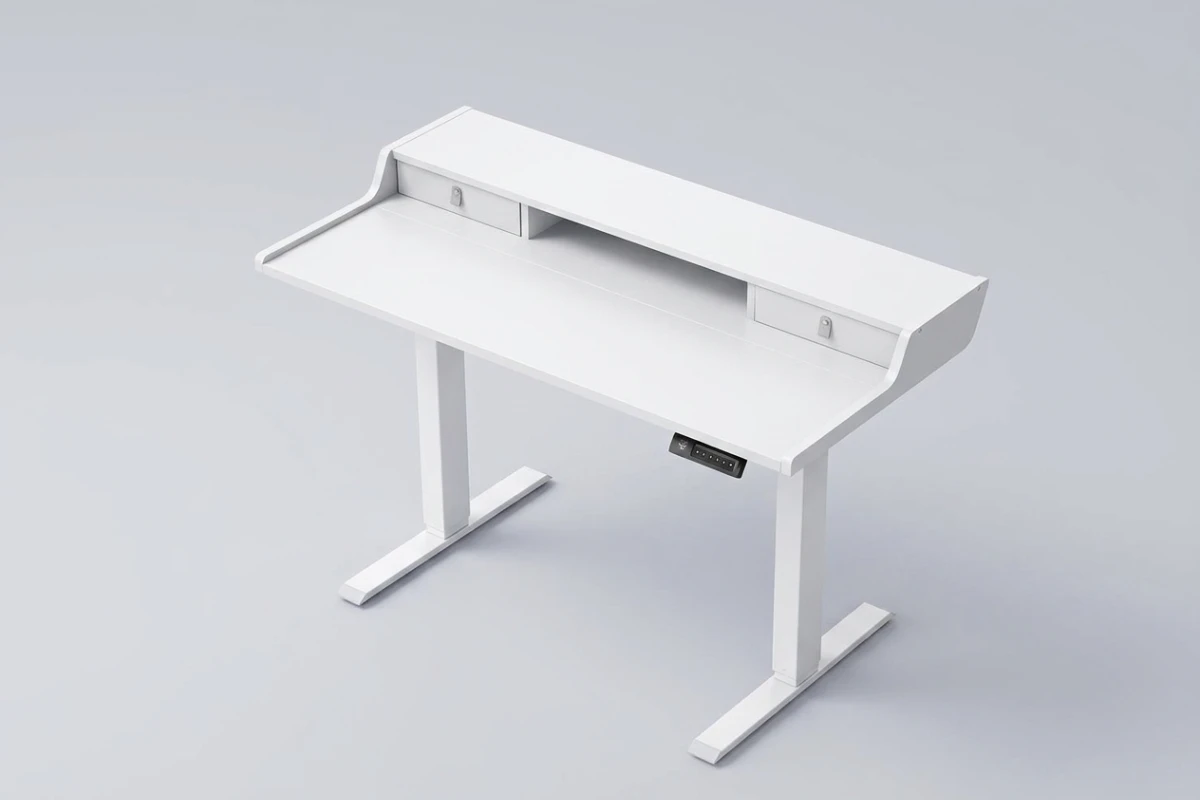
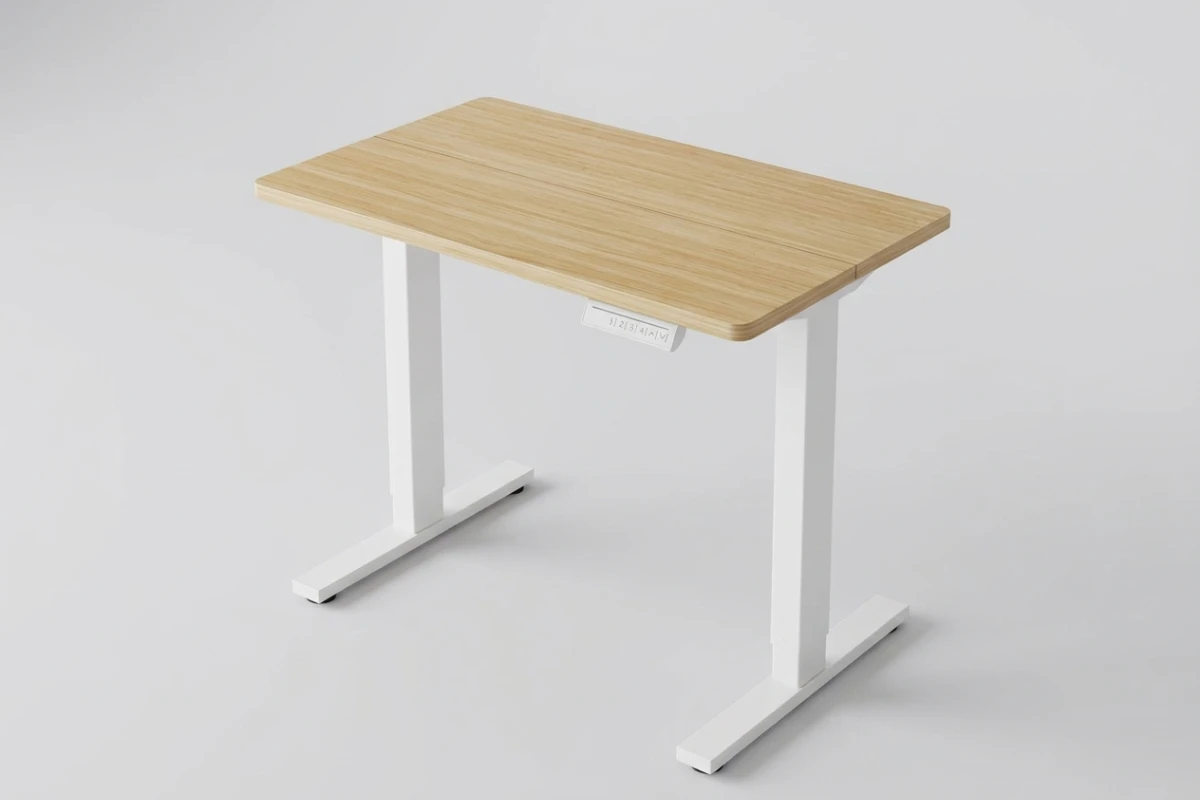
The ErGear Electric Standing Desk with Drawers has been created to give you a height adjustable working area with extra storage. It has a generous size desk surface of around 40 x 24 inches and the built in drawers will help to keep all your important accessories in order.
We will look at whether this is a good investment for your home office by looking through its features, design, height adjustability, storage, reviews, pros and cons and things to consider.
ErGear Electric Standing Desk Overview
The ErGear Electric Standing Desk with Drawers is adjustable so you can have a great functional desk for your home office, bedroom, study area or other workspace.
Instead of a standard height desk, this standing desk can be adjusted to your preferred height using the control panel. Helping you easily switch between sitting and standing whilst working.
With integrated drawers, this desk provides additional storage for any small office items, documents and everyday accessories.
As it has a small rectangular shape this makes it a great option if you want a dedicated workspace, but don’t want to go for a large office desk.
Key Features: Why ErGear is One of the Best Standing Desks for Small Spaces
Before purchasing an electric standing desk, it is important to understand what features it offers. Here are some of the main features of this ErGear model.
1. Electric Height Adjustment
One of the most useful features of the ErGear Electric Standing Desk with Drawers is its electric height adjustment system.
Instead of manually adjusting the desk, users can operate the control panel to move the desktop up or down. This makes switching between sitting and standing positions more convenient.
The model with drawers can have an approximate height adjustment range of 28.3-46.5 inches, but you can check the exact height adjustment range for your chosen model.
This can be especially useful if you spend several hours working on your computer, and want to change your position throughout the day.
2. Spacious 40″ by 24″ Desk
A comfortable desk needs enough room for essential office equipment.
The ErGear standing desk advertises itself as being 40″ by 24″ for this model.
This provides plenty of space for your laptop, monitor, keyboard, mouse, desk lamp and various smaller accessories.
Overall it provides a good size for a single monitor home office set up but if you plan to have multiple large monitors then you need to consider how much room you have.
3. Built-In Drawers for Better Organization
Another great benefit to using the ErGear Electric Standing Desk with Drawers is the built-in storage.
Having the drawer built into the desk means you can keep your most common stationery together.
You can use the available storage for:
- Pens and pencils
- Notebooks and small documents
- Charging cables
- USB drives and adapters
- Small stationery items
- Other everyday office accessories
Built-in storage can help maintain a cleaner workspace, particularly when the desk is placed in a bedroom or shared living area.
Note: The size and layout of the drawers may vary between different models, so check out the product configurations to see exactly what storage you will have available
4. Programmable Height Memory Presets
Some ErGear drawer-equipped versions include four programmable height memory presets.
This feature allows users to save preferred desk heights and return to them using the control panel.
You can programme a height for when you’re sitting and a height for when standing. Multiple memory options can also be useful if you have more than one person using the workstation.
Instead of repeatedly adjusting the desk and checking the height manually, you can select a saved position.
5. Steel Frame Construction
The desk uses a metal frame designed to support the desktop and everyday office equipment.
The published load capacity for the referenced drawer model is up to 176 pounds.
Ideal for a standard home office setup including monitor, laptop, keyboard & mouse.
However, the maximum load rating does not mean that the desk will feel equally stable at every height. Stability can depend on assembly quality, floor conditions, load distribution, and how far the desk is extended.
6. Modern Design for Home Offices
A home office desk should be functional, but its appearance also matters.
The ErGear Electric Standing Desk with Drawers is available in finishes such as black, white, and vintage brown, depending on the specific version.
As well as looking sleek, it can easily match a range of home office set-ups, whether it’s a minimalist home office, working from your bedroom or a modern study.
The built-in storage also helps reduce visible clutter, making the workspace look more organized.
Customer reviews
Customer feedback is an important factor when choosing an electric standing desk.
The ErGear electric standing desk with drawers have been well reviewed overall. The official product page states that this desk has a rating of 4.5/5 stars with hundreds of reviews. The 40×24 inch drawers variant received a rating of 4.5 stars on Walmart.
These ratings can change depending on time and product variant.
What Customers Like
We can extract some key features from the customer reviews:
1. Easy height adjustment
Customers love how effortlessly they can adjust their desk height using the electric panel, making it simple to switch between sitting and standing positions.
2. Built in drawers
Customers love having the built in drawers to store their small accessories and office items.
3. Spacious workspace
The 40 inch workspace provides a good amount of space to work on your computer.
4. Stylish design
This standing desk has a variety of finish options and a modern design which makes it suitable for many home offices.
5. Practical Functionality for Everyday Use
Having the electric adjustments and built in storage makes this desk very practical for those wanting a multi functional desk.
Common Concerns
Some reported feedback and product-review summaries highlight the following considerations:
1. Limited Drawer Depth
The storage is great for storing small items but should not be used as a substitute for a full sized filing cabinet.
2. Assembly Requirements
This desk is a bit of an assembly required item so please take care to follow the instructions provided and ensure all screws are tight on the frame.
3. Stability at Standing Height
Like many electric standing desks you may notice this desk wobbles more when it is at its highest setting. If you have heavy monitors this may be more noticeable.
4. Multiple options available
ErGear sells multiple standing desk configurations. Buyers should verify the exact model, drawer design, control panel, and weight capacity before ordering.
These points are useful buying considerations rather than claims that every customer experiences these problems.
Advantages and Disadvantages of ErGear (Best Standing Desks for Small Spaces)
Every desk has strengths and limitations. Here is a balanced look at the ErGear Electric Standing Desk with Drawers.
Advantages
- Electric height adjustment: Makes switching between sitting and standing more convenient.
- Built-in storage: Helps keep frequently used accessories organized.
- Practical desktop size: Provides room for a typical laptop or single-monitor workstation.
- Memory preset: This comes on the 4 preset option.
- Modern look: It can be finished in a few different ways to suit your home office.
- Weight capacity: This is a heavy duty unit that can hold up to 176lbs.
- Multi-functional: Can be used in a home office, bedroom, study area etc.
Disadvantages
- Assembly required: Buyers need to assemble the desk before use.
- Not much storage space: May not be able to fit large files or bulky items into the drawers.
- May not be entirely stable: This will depend on how high you have the desk set at.
- Requires electrical power: The height adjustment system needs a power connection.
- The size of the desktop may feel small: It is only 40″ x 24″, so if you have multiple large monitors this may not be ideal.
Is The ErGear Electric Standing Desk One of the Best Standing Desks for Small Spaces?
The ErGear Electric Standing Desk with Drawers could be a great choice if you want a small-standing desk with plenty of storage. Its compact design and built-in drawers easily make it one of the best standing desks for small spaces, allowing you to stay organized without cluttering your room.
The desk is around 48 inches wide meaning there is plenty of space for typical computer equipment. The drawers also mean you won’t have to add extra organisers to your desk.
It may work particularly well in:
- Bedroom home offices
- Small apartment workspaces
- Study corners
- Compact home office setups
- Shared work and living spaces
But remember, despite the desk being only 40 x 24 inches, you will still need sufficient floor space for the frame, your chair, and comfortable movement.
Before purchasing make sure to measure up your space and consider where you would place it.
Who Should Buy the ErGear: Is It One of the Best Standing Desks for Small Spaces?
This desk may be a good choice for several types of users.
- Remote Workers: The adjustable height and tidy design makes this desk perfect for those working from home.
- Students: This desk is great to set aside just for you to study, write and complete computer based assignments.
- Small Home Office Owners: The added storage space and 40″ (approx.) desktop is very useful for small home offices.
- Minimalist Workspace Enthusiasts: The built in drawers will keep your little bits of kit out of sight and keep your desktop neat.
- People Who Prefer Sit-Stand Workstations: Anyone seeking the convenience of electric height adjustment will highly appreciate this design.
Who Should Consider Another Desk?
Although this ErGear model has useful features, it may not suit everyone.
- You need a very large desktop for multiple monitors.
- You require deep drawers for documents and large accessories.
- You prefer a desk with a higher load capacity.
- You need exceptional stability at maximum standing height.
- You want a desk that requires no assembly.
In these situations, comparing larger or more heavy-duty electric standing desks may be worthwhile.
Frequently Asked Questions About the ErGear Electric Standing Desk
Investing in an electric standing desk is a great move towards a healthier and more productive home working space. We’ve answered some of the most common questions asked about the ErGear Electric Standing Desk. From complicated assembly, to sturdy build, weight capacity and bespoke settings. Below you’ll find everything you need to know before buying your electric standing desk.
Is the 40″ x 24″ desktop surface completely seamless?
No, the wooden desktop is split into multiple panels to keep the packaging compact. However, once assembled properly using the provided steel connecting plates, the seam aligns flatly and tightly, ensuring it does not interfere with your mousepad, keyboard, or general daily workflow.
Does the desk wobble or shake when extended to its maximum standing height?
At standard sitting heights and typical standing heights (under 42 inches), the desk is incredibly stable due to its heavy-alloy steel frame. If fully extended past 45 inches on a thick carpet, you might notice a very minor wobble during aggressive typing, which is standard for budget single-motor desks. Placing it on hard flooring eliminates this completely.
Are the two fabric drawers sturdy enough to hold heavy office electronics?
The dual integrated drawers are made of premium structured fabric with reinforced front panels. While they are perfect for organizing stationery, notebooks, tablets, and charging cables, they are not designed for heavy metallic tools or bulky hardware. They excel at keeping your desktop clutter-free.
Can I mount a heavy dual-monitor arm using a C-clamp on this desk?
Yes, absolutely. The rear shelf edge is specifically extended up to 2.95 inches, leaving ample room to securely attach standard dual-monitor C-clamp mounts or grommet bases without blocking the storage drawers or damaging the frame structure.
How loud is the motor when transitioning between sitting and standing heights?
The single-motor system is remarkably quiet, operating at under 55 decibels. The lift transition sounds like a faint, whisper-quiet hum. It is subtle enough that it will not interrupt your live video calls or wake up anyone else in a quiet apartment.
How long does the assembly process take, and can one person do it alone?
Because of the multi-piece desktop, built-in shelf, and drawers, the setup involves quite a few screws. The average assembly time is about 45 to 60 minutes. While one person can easily follow the labeled instructions, having a second person just to help flip the heavy steel frame over at the end is highly recommended.
Final Verdict: Should I buy the ErGear Electric Standing Desk with Drawers?
The ErGear Electric Standing Desk with Drawers offers a useful combination of electric height adjustment, built-in storage, and a practical desktop size for everyday home office tasks. These features firmly establish it as one of the best standing desks for small spaces, especially for those looking to maximize functionality in a limited area.
The main benefits this desk provides are height adjustability, extra storage and can be used with many home office setups.
However, limited drawer space, assembly requirements, and potential stability concerns at greater heights are worth considering before purchasing.
Overall, if you want an affordable looking Electric Standing Desk that has storage, then this one is definitely something to consider.
To create a comfortable working space, it is best to choose a desk that will work well with your room, equipment and everyday working.
If you’re looking for a height-adjustable desk with convenient storage, the ErGear Electric Standing Desk with Drawers is worth considering. Check its latest price, available colors, customer reviews, and current availability on Amazon before making your purchase.
Affiliate Disclosure: As an Amazon Associate, I earn from qualifying purchases. This means I may earn a commission if you purchase through qualifying links, at no additional cost to you. Learn More
2. HUANUO 32×19 Inch Standing Desk Review: Is It the Best Standing Desk for Small Spaces and Worth Buying?
It can be challenging to find a suitable desk for your workspace if you don’t have a lot of room. You may end up using a large office desk that takes up far too much valuable floor space, or a standard small desk that doesn’t afford you enough flexibility to create a comfortable working environment. One solution could be to invest in one of the best standing desks for small spaces.
Designed to provide a small desktop workspace with electric height adjustments, the HUANUO 32×19 Inch Small Electric Standing Desk has a 32 inch wide desktop, 4 height memory settings and offers an interesting solution for those with limited space such as small bedrooms, apartments and home offices.
However, is this compact standing desk suitable for regular use? Does it provide enough space to work and what do people actually think of its performance?
Within this HUANUO standing desk review, we’ll look at the specifications, key features, and take a look at genuine customer reviews to see why it ranks among the best standing desks for small spaces. We’ll also provide some pros and cons along with considerations to make before buying.
HUANUO 32×19 Inch Small Electric Standing Desk Overview
The HUANUO 32×19 Inch Small Electric Standing Desk is a compact sit-stand workstation designed for smaller working environments.
Instead of conventional static desks, this desk features an electric lifting function which can be adjusted using the control panel.
Its 32-inch width and 19-inch depth are particularly useful for people who do not have enough room for a full-size standing desk. The compact surface can accommodate a laptop, monitor, keyboard, mouse, and a few essential accessories, depending on the setup.
The desk also has 4 memory functions. This means you can adjust the desk to your required heights.
Overall this HUANUO desk provides a great option for the best standing desks for small spaces.
Key Features: Why HUANUO is One of the Best Standing Desks for Small Spaces
1. Compact 32 x 19-Inch Desktop
The biggest advantage of this HUANUO desk is its compact desktop.
Measuring approximately 32 inches wide and 19 inches deep, it is designed to fit into spaces where larger office desks may be inconvenient.
The surface can provide enough room for a laptop, an external monitor, a keyboard, and a mouse. However, the available space will depend on the size of your equipment.
It can be particularly useful for:
- Small bedroom workstations
- Apartment home offices
- Study corners
- Minimalist computer setups
- Compact remote-working spaces
If your priority is saving floor space while maintaining a functional workstation, this desktop size is worth considering.
2. Electric Height Adjustment
The HUANUO electric standing desk allows users to raise or lower the desktop using an electric control system.
Therefore you can easily switch between sitting and standing positions.
The models above have a height adjustment range of approximately 28.3-46.5 inches. However this can vary depending on which model you choose.
Before purchasing, compare the minimum and maximum height with your own body measurements. A suitable desk height is important for comfortable typing and monitor positioning.
3. Four Programmable Memory Settings
Another useful feature is the four memory height presets.
Instead of adjusting the desk manually every time, you can save your preferred working heights and return to them using the control panel.
For example, you might save one setting for sitting and another for standing. The remaining settings can be useful if different family members share the desk.
This feature adds convenience to an otherwise simple compact workstation.
4. Strong Metal Frame Construction
The HUANUO standing desk uses an alloy steel frame designed to support the desktop and everyday office equipment.
One referenced 32 x 19-inch version lists a maximum weight capacity of 176 pounds.
This capacity is sufficient for many standard home office setups, including a monitor, laptop, keyboard, mouse, and smaller accessories.
However, buyers should not assume that every HUANUO 32-inch version has the same load capacity. Some listings specify 154 pounds instead.
5. Rounded Desk Corners
The desk has rounded corners.
This can give the workstation a more friendly feel and may help reduce any accidental knocks to harsh edges.
This makes a great practical feature if you’re planning to place your desk close to a bed/ wall or regular walkway.
6. Wheel-Ready Feet
Some versions of the desk have castor friendly feet or fittings for optional castors.
This can add more flexibility when setting up your small home office.
However, check the included accessories and compatibility before assuming that wheels are included in the package.
7. Many colour options.
HUANUO comes in many colours depending on which variant you purchase.
This helps to make your desk fit with many different interior designs.
The walnut finish could be perfect for a warm, minimal working environment while the black colour could fit well with a modern computer set up.
Real Customer Reviews: What Are Buyers Saying?
Customer feedback can provide useful information beyond the manufacturer’s product description.
For the HUANUO 32×19-inch standing desk, available third-party retailer listings and customer-review aggregations show generally positive feedback about its compact size, electric adjustment, and everyday usability.
One third-party product-data snapshot for the black 32 x 19-inch version, ASIN B0DX71GNG9, showed approximately 4.4 out of 5 stars from 2,530 customer ratings. Ratings and review counts can change, and this figure should not be treated as a live Amazon rating.
Positive Customer Feedback
1. Small size
Several buyers appreciate the compact dimensions because the desk fits into smaller rooms without taking up too much floor space.
Customers looking for a dedicated laptop workstation often find this size practical.
2. Easy to adjust the height
Customer feedback frequently mentions the convenience of the electric lifting mechanism.
The fact that you can easily adjust the height of your workstation makes this a popular choice.
3. Useful Memory Presets
The 4 memory settings make this a nice feature.
It means you can easily put your desk at your favourite sitting and standing positions.
4. Attractive Design
Customers have also commented that this is a very modern looking desk.
With its compact design it can be a good option for a bedroom, apartment or minimal home office.
5. Great value for money
Some customers think this is a great buy as it has an electric adjustable feature and a small desktop. If you do not need a large workstation then this is great value.
Negative Reviews and Common Complaints
Not every buyer has the same experience. Some customer feedback highlights potential limitations.
1. Limited Desktop Space
With it being 32 x 19 inches, this can be perfect for smaller spaces. However, some may find it too small if they use multiple monitors, large keyboard or lots of accessories.
2. Stability
Some buyers report movement or shaking, particularly when the desk is moved or used at a higher position. Stability may also depend on assembly quality and floor conditions.
3. Assembly Takes Time
Although some people found assembly easy, others may take longer to get to grips with the instructions and get the frame into the correct place.
4. Not ideal for larger computers
A common point was that this desk is great for laptops however may not be as convenient for larger desktop computers.
These are just individual customer experiences and may not be a problem for all owners.
Advantages and Disadvantages of the HUANUO Standing Desk
Before deciding whether this desk is right for your workspace, consider both its benefits and limitations.
Advantages
- Space-saving dimensions: The 32 x 19-inch desktop is suitable for compact workspaces.
- Height adjustable electric desk: Easier to change between standing and sitting.
- 4 preset memory settings: You can store your favourite heights.
- Metal frame construction: Provides support for everyday office equipment.
- Looks modern: Can match most styling in your room.
- Great for laptops: Provides you with a dedicated working area.
- Rounded corners: Add a practical design detail for compact rooms.
- Can be made mobile: Feet can be fitted with wheels (see version).
Disadvantages
- Small working area: Not ideal for large multi monitor setup.
- Potential wobbling: Stability can vary depending on height, load, and assembly.
- Requires assembly: You will need to assemble the desk.
- Electrical power required: The motorized adjustment system needs a power connection.
- Limited accessory space: A 32-inch surface may not accommodate many additional desk accessories.
Is the HUANUO 32×19 Desk Suitable for Small Home Offices?
Yes, this desk can be a practical option for certain small home offices.
Its compact dimensions make it easier to position in a bedroom, apartment, or unused corner without requiring a large amount of floor space.
You are able to create a simple workspace including;
- A laptop or compact monitor
- An external keyboard and mouse
- A small desk lamp
- A laptop stand
- A few essential accessories
The electric height adjustment also means that you have more options to set the height of this desk compared to a standard desk.
Before you buy make sure you measure up where you will place this desk. Take into consideration the size of your chair, legroom, plug point and space to move around your desk.
HUANUO 32×19 vs. Larger Standing Desks: Which Is Better?
Not everyone will find a smaller standing desk the best option.
Depending on how much equipment you’re using and the amount of space you have available, you’ll want to choose either option.
Choose the HUANUO 32×19-inch desk if:
- Have a small bedroom / apartment
- Mainly use a laptop
- You want a compact electric sit-stand workstation.
- Like a simple, minimal set up
- Don’t need much extra space on the desk
Consider a larger 40- or 48-inch desk if:
- You use two monitors.
- You need additional space for writing and office accessories.
- You use a large desktop computer.
- You want more room for a keyboard, mouse, speakers, and other equipment.
A larger desk may offer more working flexibility, but it also requires more floor space.
Who should buy this Electric Standing Desk?
This desk may be suitable for several types of users.
Students: It can provide a dedicated area for studying, writing, and using a laptop.
Remote Workers: Those working from home with little space may appreciate the adjustability and compact size of this desk.
Apartment Residents: Its smaller footprint can make it easier to create a workstation in a bedroom or living area.
Minimalist Workspace Enthusiasts: Users who prefer a clean desk with only essential equipment may find the desktop size sufficient.
Laptop Users: This desk is ideal for those looking to create a simple laptop setup.
Who Should Avoid This Desk?
Although this 32×19 inch desk has many great features, there may be some people for whom it would not be suitable.
Consider a larger desk if you:
- Need space for two large monitors.
- Use a desktop PC with multiple accessories.
- Need extensive writing or drawing space.
- Require a larger working surface for professional tasks.
- Prefer a workstation with more room for storage and organization.
Frequently Asked Questions About the HUANUO 32×19 Electric Standing Desk
When shopping for the best standing desks for small spaces, buyers often have specific questions about performance, dimensions, and ease of assembly. This FAQ section addresses the most common queries regarding the HUANUO 32×19 model to help you understand how it functions in tight setups. Whether you are curious about its weight capacity, motor noise, or how it compares to other best standing desks for small spaces, you will find all the essential answers below to make an informed decision for your compact home office.
Is the HUANUO 32×19 One of the Best Standing Desks for Small Spaces?
Yes. Its compact 32 x 19-inch desktop makes it a practical option for small bedrooms, apartments, and compact home offices.
How much weight can the HUANUO 32 inch Standing Desk hold?
The maximum it can hold is 176lbs however some variations say 154lbs. Check the exact model spec.
Does the HUANUO standing desk have memory settings?
Yes. The referenced 32-inch model includes four programmable height memory settings.
Is this suitable for using 2 monitors?
This will depend on how big your monitors are, the 32×19″ working area is quite small so 2 large monitors won’t leave you with much space for your other accessories such as keyboard, mouse etc.
Is the HUANUO electric standing desk easy to assemble?
Some customers have said it is easy to put together, with clear parts and instructions. However some may take a bit longer to get everything into place.
Is this desk suitable for laptop users?
Yes! The desk is quite small so is great for using with laptops. Especially if you have an external keyboard and laptop stand.
Can I use this standing desk in my bedroom?
Yes! The small size can be perfect for using in your bedroom. Whether it be for your workstation, study area or office in an apartment. Just ensure you have enough space for your chair and frame.
Final Verdict: Is HUANUO One of the Best Standing Desks for Small Spaces?
The HUANUO 32×19 Inch Small Electric Standing Desk offers a useful combination of compact dimensions, electric height adjustment, and four programmable memory settings.
Its main benefit is its size. The desk can be used to create a standing/sitting workstation with no need for a large amount of floor space.
This makes it a great choice for laptop users, students, apartment dwellers and remote workers wanting a simple workstation that will fit into a small space.
It does have a smaller desktop surface so if you have many large screens, lots of accessories or high workspace demands you might prefer a larger standing desk.
If you’re looking for a compact electric standing desk for your home office, the HUANUO 32×19 Inch Small Electric Standing Desk is worth considering. With its space-saving design, adjustable height, and convenient memory presets, it can be a practical choice for smaller workspaces. Check its latest price, available colors, customer reviews, and current availability on Amazon before making your purchase.
Affiliate Disclosure: As an Amazon Associate, I earn from qualifying purchases. This means I may earn a commission if you purchase through qualifying links, at no additional cost to you. Learn More
3. Claiks Electric Standing Desk Review: One of the Best Standing Desks for Small Spaces
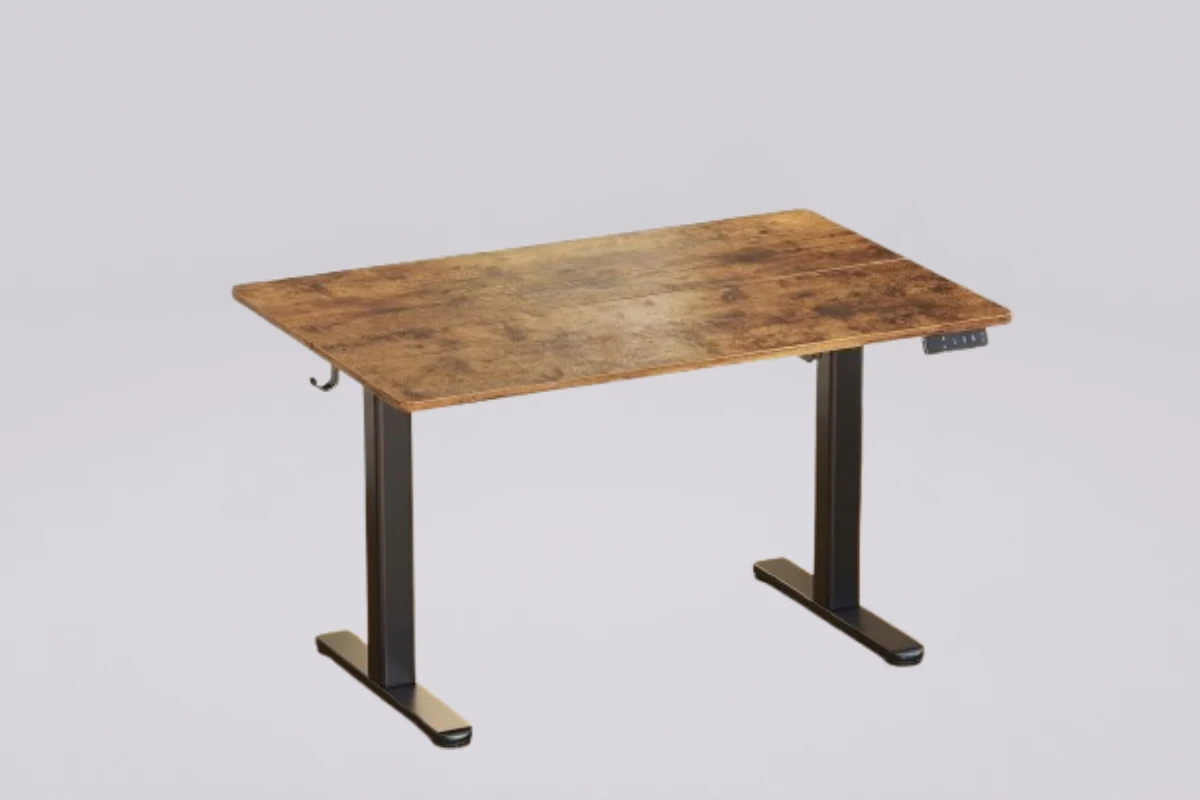
If you are looking for the best standing desk for small spaces, the Claiks Electric Height Adjustable Standing Desk (48 x 24 inches) could be a great choice. The desk comes with an electric height adjustment feature, a large rectangular desktop, and a steel frame.
This electric standing desk allows you to easily move between standing and sitting positions whilst you work. The desk has a wide 48 inch desk top so you can fit everything you need including your laptop, monitor, keyboard, mouse and more on.
But is this 48 x 24 electric standing desk a good choice for a small home office? Read our review to discover everything you need to know about this standing desk including features, spec, benefits, drawbacks, customer reviews and what to look out for.
Claiks Electric Standing Desk: Product Overview
Claiks Electric Adjustable Standing Desk – Installation & Product Overview
The Claiks Electric Height Adjustable Standing Desk is perfect if you’re looking for a versatile standing desk with an electric mechanism. The desk comes with a 48 x 24″ desktop.
The desk includes a steel frame, engineered wood desktop and electric motor to raise or lower the working surface. Plus there are three preset positions for the different heights that can be saved on the P1.01.001 configuration of the desk.
This is a great choice for those looking for the best standing desk for small spaces. It includes a number of useful features without being too complicated.
Key Specifications of the Claiks 48 x 24 Standing Desk
| Feature | Specification |
|---|---|
| Brand | Claiks |
| Desk Type | Electric Standing Desk |
| Desktop Size | 48 x 24 inches |
| Desktop Material | Engineered Wood |
| Frame Material | Alloy Steel |
| Height Range | 28.3–46.5 inches |
| Weight Capacity | Up to 176 lbs (80 kg) |
| Height Adjustment | Electric |
| Memory Presets | 3 |
| Desktop Shape | Rectangular |
| Assembly | Required |
| Included Accessory | Headphone Hook (documented configuration) |
Specifications are based on the documented P1.01.001 configuration. Please check the exact listing and your selected variant before purchasing.
Design and Build Quality of the Claiks Electric Standing Desk
The Claiks electric standing desk has a simple and modern design. The 48 x 24-inch rectangular desktop will fit in well with most home office setups.
Built using a steel frame and engineered wood surface it provides a traditional workstation. The desktop allows you to work on your computer, monitor, office essentials and writing stationery.
Depending on the version you choose, you will get different finishes such as black, white and rustic brown.
The simple design makes the desk easy to fit into a small space. There are no large cabinets or storage areas.
For people creating a minimalist workspace, the Claiks desk can be a practical option among the best standing desks for small spaces.
48 x 24-Inch Desktop: Is It Enough for a Small Office?
The 48-inch width and 24-inch depth provide a useful amount of working space for many home office setups.
Typically, you will be able to fit:
- One laptop or desktop monitor
- A keyboard and mouse
- A desk lamp
- Notebook and essential stationery
- A few small desk accessories
However, the actual available space depends on the size and number of your devices.
If you have two large monitors, speakers and several items of accessories then it might become quite cluttered. It is also important to look at how much floor space you have available. A 48-inch desk won’t work in every small room.
Electric Height Adjustment: A Useful Everyday Feature
One of the main reasons people would consider using a Claiks desk is due to the electric height adjustment.
Instead of having to adjust the height manually the user can use the control panel to raise/lower their desktop height, making it easy to move between sitting and standing throughout your working day.
The documented P1.01.001 model can be adjusted between approximately 28.3in and 46.5in.
This means it can be suitable for a lot of users but the correct working height depends on your body shape, chair height and how you stand.
Three Memory Height Presets
The 3 memory heights are another great feature.
It means you can set your preferred sitting and standing heights and return to them using the control panel. This means there’s less manual adjustment required when moving between sitting and standing.
This can make everyday use of the desk more convenient if you regularly move between sitting and standing.
However, remember that the three presets are not the same as advanced smart features. This is a relatively straightforward electric desk rather than a fully connected workstation.
Weight Capacity and Frame Stability
The Claiks P1.01.001 has a maximum weight capacity of 176lbs (80kg).
This capacity includes the equipment and other items placed on the desk, not just the computer monitor.
The alloy steel frame provides stability for your desktop and any items you place on it whilst it is being adjusted by the electric mechanism.
This will offer sufficient space if you have a standard set up which includes 1 monitor, laptop, keyboard, mouse and some accessories.
However, if you plan on having several heavy monitors, desktops, speakers and other equipment you should work out the total weight of your equipment.
Real Customer Reviews
Customer feedback is an important consideration when comparing the best standing desks for small spaces.
Positive reviews (what customers really liked)
Budget-friendly and great value: Most buyers have described this desk as offering “good value for money.” It is the top choice for those looking for a quality electric smart desk on a limited budget.
Smooth and quiet motor: According to user reviews, the motor operates very quietly (with a noise level of approximately 45–50 dB). As a result, it can move up and down smoothly, without any jerking or significant noise.
Memory Preset Function: With 3 memory preset buttons, users can easily save their preferred sitting and standing heights. A single touch is all it takes for the desk to automatically adjust to the set height.
Easy and quick assembly: The package includes a clear guidebook and a video installation guide. According to customers, all necessary tools are provided, and it can be set up by one person in just 20 to 30 minutes.
Compact size: The 48 x 24-inch dimensions are perfect for setting up a home office in a small room, apartment, or the corner of a bedroom.
Negative reviews (aspects that customers have raised complaints about)
Split-top design (spliced board): The desktop surface is not a single, solid piece of wood; rather, it is constructed by joining two separate boards together. Some buyers have noted that there may be a slight gap or unevenness along the seam, which can be noticeable when using a mouse without a mouse pad.
Weight capacity: The desk can support up to 176 lbs (80 kg). It is excellent for a standard laptop, a monitor, and a keyboard. However, for those planning to use a heavy gaming PC case or a triple-monitor mount, this desk might feel a bit too lightweight.
Slight wobble at maximum height: When the desk is raised to its maximum height (approximately 46.5+ inches), it may exhibit a slight wobble if you type very forcefully or bump into it—a common occurrence with budget-friendly desks.
Advantages of the Claiks Electric Standing Desk
The Claiks 48 x 24 electric standing desk has several features that make it worth considering for a home office.
1. Easy Electric Adjustments
The desk comes with an electric mechanism so you can easily raise and lower your desk. This makes it ideal for those that will be switching between sitting and standing during the day.
2. Practical 48 x 24-Inch Desktop
The desktop provides enough room for many standard computer setups while remaining more compact than larger workstation desks.
3. Three Programmable Height Presets
The memory buttons allow for your favourite working heights to be saved. This makes it easier to switch between sitting and standing.
4. Steel Frame
The frame is made from alloy steel to provide a sturdy frame for your desktop and equipment.
5. Available in Many Colours
Depending on availability, it can come in a variety of finishes. This means you can easily match your desk to your bedroom office, minimal workspace or contemporary home office.
6. Can Be Used For Various Activities
This desk can be used for computer work, studying, writing, online meetings and more.
Overall, this makes it a great choice for one of the best standing desks for small spaces. If you are looking for an electric option that is simple then this is a great pick.
Disadvantages of the Claiks Electric Standing Desk
Although the Claiks desk offers useful features, it also has limitations that buyers should consider.
1. Needs Assembly
The desk arrives with components that need to be assembled. Installation requires following the instructions carefully and securing the frame correctly.
If you are not comfortable assembling furniture, you may need assistance.
2. Limited Desktop Space for Large Setups
The 48 x 24 inch surface is great for many standard setups but may not be big enough for multiple large monitors and lots of accessories.
3. Maximum Weight Capacity of 176 Pounds
The max weight limit is 176 pounds which works for many general setups however if you have heavy equipment you should check what weight you will be placing on it.
4. No Built-In Drawer on the Standard Configuration
The standard model (P1.01.001) does not have a built in drawer. If you need more storage space you may need to invest in an extra desk accessory.
5. Not An Advanced Smart Desk
Whilst it is electric and has preset memories, if you want something fully smart with app connections, voice control and advanced automation then you may want to look at other models.
6. Height Range Doesn’t Cover All
The height range can be used by many people (28.3 to 46.5 inches). However if you are particularly tall or short then it may not be the perfect height. Double check the measurements to see if they fit your preferred sitting/standing positions.
Is the Claiks 48 x 24 Standing Desk Suitable for Smaller Spaces?
If you have enough floor space, this could be a great option for your home office due to the width of the 48-inch desktop.
It’s rectangular design makes it relatively easy to position against a wall or in a dedicated office area.
This could also be ideal if you’re setting up an office in a bedroom, study or apartment, due to the size of the desk being less than a larger desk.
However, a 48-inch desk might not be suitable for all very small spaces. Just make sure that you measure out how much width and depth you have, so that the desk and chair can fit with plenty of room to manoeuvre.
Who Should Consider This Desk?
The Claiks electric standing desk may be suitable for:
- Remote workers who need a flexible workstation.
- Students who want a sit-stand study desk.
- Home office users who prefer electric height adjustment.
- People who use a laptop or one-monitor computer setup.
- Buyers looking for a straightforward 48-inch standing desk.
Who Should Consider Another Desk?
You may want to compare other options if you:
- Have extremely limited floor space.
- Need a larger surface for multiple monitors.
- Require built-in drawers or extensive storage.
- Need a desk with a higher weight capacity.
- Prefer advanced smart controls or premium features.
How to Set Up the Claiks Standing Desk in a Small Home Office
Once you have chosen one of the best small standing desks, it’s time to think about how to set up your standing desk for maximum comfort.
Here are a few practical ideas:
1. Position the Desk Against a Wall
If you position your desk against an appropriate wall you’ll be able to make the most from the available floor space. Make sure you leave enough room for the desk to move up and down.
2. Use a Monitor or Laptop Stand
Using a monitor/laptop stand will give you a more comfortable height to view your screen. It will also give you more space on your desk.
3. Cable management
Use cable clips, re-usable cable ties or an under-desk cable tray to keep your cables neat. Ensure there is enough slack in your cables once the desk has been raised.
4. Choose Compact Accessories
Choose some small accessories such as a small desk lamp, wireless keyboard and compact mouse. This will help avoid unnecessary clutter.
5. Keep Frequently Used Items Within Reach
Ensure you keep everyday items easily accessible to keep your workstation neater and more organised.
Frequently Asked Questions About the Claiks Electric Standing Desk
Choosing among the best standing desks for small spaces often raises questions about performance, assembly, and reliability. Buyers frequently wonder about the Claiks desk’s motor noise, weight capacity, and memory preset settings before making a purchase. Below, we answer the most common questions to help you decide if this compact ergonomic desk is the right fit for your home office.
1. Is the Claiks desk stable when fully extended?
Yes. Equipped with a heavy-duty steel frame, it remains highly stable and wobble-free even at its maximum height settings.
2. How noisy is the motor during height adjustments?
The electric motor operates very quietly (usually under 50dB), ensuring smooth transitions without disturbing your work or home environment.
3. Does it have memory preset settings for different heights?
Yes. The desk features an LED control panel with customizable memory presets, allowing you to save and switch to your ideal sitting and standing heights with one touch.
4. Why is this desk considered one of the best standing desks for small spaces?
With its compact 48 x 24-inch desktop, it provides ample workspace for a laptop and monitor while fitting perfectly into tight corners or small rooms.
5. What is the total weight capacity of the Claiks Electric Standing Desk?
The desk can safely support up to 176 lbs (80 kg), which is more than enough for a standard setup with multiple monitors, a keyboard, and office accessories.
6. Is the desk difficult to assemble?
Not at all. The package includes all necessary tools, clearly labeled parts, and a step-by-step instruction manual for a quick setup.
Final Verdict: Is the Claiks One of the Best Standing Desks for Small Spaces?
This electric desk can be great for those who want a simple electric desk.
Some of the key positives for this one include its generous desktop dimensions, easy electric adjustment, 3 memory settings, steel frame and 176lbs weight capacity.
Unfortunately, it’s not a perfect desk. It will need to be assembled and there isn’t any integrated storage. It might also be a bit small if you have multiple large monitors or lots of office equipment.
If your workspace can accommodate a 48 x 24-inch desktop and you want the convenience of switching between sitting and standing, the Claiks model is worth comparing with other best standing desks for small spaces.
Before making a purchase, make sure to check the latest price, available colors, delivery options, customer ratings, and warranty details.
If you’re looking for a spacious electric standing desk for your home office, the Claiks Electric Height Adjustable Standing Desk (48 x 24 Inch) is worth considering. With its roomy desktop, adjustable height, sturdy steel frame, and convenient memory presets, it can be a practical choice for small home offices and everyday workspaces. Check its latest price, available colors, customer reviews, and current availability on Amazon before making your purchase.
Affiliate Disclosure: As an Amazon Associate, I earn from qualifying purchases. This means I may earn a commission if you purchase through qualifying links, at no additional cost to you. Learn More
4. FlexiSpot Comhar EG8 Review: The Best Standing Desk for Small Spaces
FlexiSpot Comhar Glass All-in-One Standing Desk EG8
If you are searching for one of the best standing desks for small spaces, the FlexiSpot Comhar EG8 48″ × 24″ Electric Standing Desk is worth considering. Designed for modern home offices, this height-adjustable desk combines a stylish tempered glass desktop, built-in storage drawer, USB charging ports, and an electric lifting system.
Unlike many basic standing desks, the FlexiSpot Comhar EG8 focuses on both functionality and appearance. Its compact desktop provides enough room for a laptop, monitor, keyboard, and everyday office accessories without taking up the space of a larger workstation.
The built-in drawer will keep your small office items tidy. Whether you’re working from a bedroom, apartment or home office, this standing desk can easily be switched between sitting and standing.
However, its 110-pound weight capacity and limited cable management options are important considerations before purchasing. Let’s explore its specifications, features, advantages, disadvantages, and customer feedback to determine whether it deserves a place among the best standing desks for small spaces.
FlexiSpot Comhar EG8 Standing Desk: Key Specifications
Before choosing one of the best standing desks for small spaces, it’s important to understand the product’s dimensions, lifting capacity, materials, and adjustment features.
The following specifications are for the glass-top EG8/Comhar model. FlexiSpot lists its desktop dimensions slightly differently from the rounded 48″ × 24″ retail description.
| Feature | Specification |
|---|---|
| Brand | FlexiSpot |
| Model | Comhar EG8 |
| Desk Type | Electric Standing Desk |
| Desktop Size | Approximately 47.32″ × 23.7″ |
| Desktop Material | Tempered Glass |
| Frame Material | Steel |
| Height Range | 28.3″–47.6″ |
| Motor Type | Single Motor |
| Weight Capacity | 110 lbs |
| Height Presets | 4 |
| USB Ports | 2 USB-A and 1 USB-C |
| Storage | Built-in Drawer |
| Safety Feature | Anti-Collision System |
| Control Panel | Integrated Touch Controls |
| Desktop Shape | Rectangular |
Specifications are based on FlexiSpot’s product information and retailer listings. Confirm the exact model and regional specifications before ordering.
Key Features That Make FlexiSpot Comhar EG8 One of the Best Standing Desks for Small Spaces
The FlexiSpot Comhar EG8 includes several useful features that make it different from traditional office desks. Here are the main features worth considering.
1. Compact 48″ × 24″ Desktop for Small Home Offices
One of the top benefits of the FlexiSpot Comhar EG8 is its small desktop size. At around 47.32 inches by 23.7 inches, it still offers plenty of room for working.
It is a good size for an office in a bedroom, apartment, or small home office as it won’t take up a lot of floor space.
There is enough space on the desktop for:
- A laptop or single computer monitor
- A wireless keyboard and mouse
- A desk lamp
- A notebook and small office accessories
- A smartphone or tablet
Overall, this desk size offers great value for anyone looking for the best standing desk for small spaces.
However, if you have more than one large monitor or large desktops this could be a bit limiting.
2. Electric Height Adjustment for Sitting and Standing
One of the most useful features of this FlexiSpot Comhar EG8 is the electric height adjustment.
You can easily adjust the height of the desktop by using the built-in buttons. The desk can be raised and lowered to a height of approximately between 28.3 and 47.6 inches meaning you can easily change between seated and standing heights.
This feature is very useful for those who will be using their desk for several hours whilst working from home.
There are also 4 memory preset heights. This means you can set your preferred heights and simply press the button to return to that height.
If you are sharing your workspace with another family member this can make it easier to change the height throughout the day.
Overall the electric lift means there is more flexibility when looking for the best standing desks for small spaces.
3. Premium Tempered Glass Desktop
The FlexiSpot Comhar EG8 features a tempered glass desktop that gives it a clean, modern appearance.
This gives the desk a very sleek and modern look. Unlike traditional wooden or particle board tops, this gives you a very smooth and easy to clean surface. This can help your desk blend into your minimalist home office, modern bedroom and/or modern apartment.
Some practical benefits include:
- Smooth and easy-to-clean surface
- Modern and premium appearance
- Rounded desktop edges
- A clean-looking workspace
The glass surface is also convenient for everyday cleaning. However, fingerprints, dust, and smudges can become noticeable, particularly on darker finishes.
A problem with this though is if you want to use any accessories that require drilling or screwing in. It can be difficult or unsuitable.
4. Built-In Storage Drawer for Better Organization
The FlexiSpot Comhar EG8 has great storage features that make it one of the best standing desks for small spaces.
It comes with a built-in drawer underneath the desktop, providing convenient storage for smaller office essentials.
You can use this drawer to organize:
- Pens and pencils
- Charging cables
- Notebooks
- USB drives
- Small stationery items
- Other lightweight accessories
Instead of keeping everything on the desktop, you can store smaller items inside the drawer and maintain a cleaner workspace.
However, the drawer isn’t very deep so it is best for storing small accessories rather than large office items.
5. Built-In USB-A and USB-C Charging Ports
Another great feature to this desk is the built-in USB charging ports.
The control panel includes:
- Two USB-A ports
- One USB-C port
These ports allow you to charge compatible devices, such as smartphones, tablets, and other USB-powered accessories.
As the ports are built-in into the desk itself, you will not have to reach for an external charging adapter to charge your phone.
Although please do not confuse these ports for charging your laptop. Please check the manufacturers specs to ensure that the charging outputs are suitable for the correct devices.
6. Anti-Collision Protection for Added Safety
The FlexiSpot Comhar EG8 features an anti-collision mechanism to help avoid damage should there be any obstructions when adjusting the height of your desktop.
If there is anything under your desk, then this will be detected and the mechanism will come into play to help avoid any collisions.
This can be really helpful if you have a smaller room and furniture, storage boxes and other items are placed near your desk.
However, anti-collision technology cannot replace making sure that there isn’t anything in your surrounding area before adjusting your desk.
7. Easy Assembly and User-Friendly Controls
Finally, professional reviews have also noted that the desk is simple to assemble.
As the frame is less bulky than some standing desks, it comes with many of the larger components ready to go.
You can adjust the height with the built-in control panel.
For people setting up a small home office for the first time, easy assembly and convenient controls can make the overall experience more comfortable.
TechRadar’s review specifically praised its relatively quick setup and user-friendly design.
Advantages and Disadvantages of FlexiSpot Comhar EG8
Before deciding whether the FlexiSpot Comhar EG8 belongs among the best standing desks for small spaces, consider both its advantages and limitations.
Advantages of FlexiSpot Comhar EG8
Space-Efficient Desktop: Its approximately 48″ × 24″ desktop offers a practical working area for compact home offices.
Electric Height Adjustment: The motorized lifting system makes switching between sitting and standing positions convenient.
Four Memory Presets: Users can save their preferred desk heights for easier adjustments.
Built-In Storage Drawer: The integrated drawer helps organize small office supplies without requiring an additional storage unit.
Convenient USB Charging: Two USB-A ports and one USB-C port provide easy access to device charging.
Premium Glass Design: The tempered glass desktop gives the workspace a modern and polished appearance.
Anti-Collision Feature: The safety system helps reduce the risk of damage from obstacles during desk movement.
Relatively Easy Assembly: Professional reviewers have highlighted its straightforward setup process.
Disadvantages of FlexiSpot Comhar EG8
Limited weight capacity – this standing desk can only support up to 110lbs meaning if you have multiple monitors and heavy equipment it might not be ideal.
Leaves fingerprints – the glass surface can leave fingerprints, dust and smudges on it so it needs to be cleaned regularly.
Poor cable management – compared to some of its competitors, this standing desk doesn’t offer a great range of cable management.
Small drawer – this standing desk has a useful drawer for storing small items; however, it can’t store everything.
Not great for large multi-monitor setups – the size of the desk may feel limited when using multiple large monitors.
Glass accessories – some monitor arms and accessories may not be compatible as they would have to be mounted with screws or drilling.
Single motor – this standing desk only uses one motor not a dual motor system like some others meaning if you want something which can lift well and support heavy weights you might not want to choose this.
Overall this standing desk would be better suited to someone looking for something with a sleek design, storage and convenience rather than heavy duty.
User Reviews – What do Customers think about the FlexiSpot Comhar EG8?
Customer feedback is an important factor when comparing the best standing desks for small spaces. Product specifications explain what a desk offers, but real-world experiences help buyers understand how it performs during everyday use.
The FlexiSpot Comhar EG8 has been praised for its stylish, convenient and integrated charging features. However there are also a few downsides to the product that have been highlighted in independent reviews.
Here are some recurring observations from published product reviews and available customer feedback.
What Users Like About the FlexiSpot Comhar EG8:
Stylish & Sleek Design
One of the most commonly mentioned design features was the tempered glass desktop. This looks really modern and would suit any minimalist home office.
Convenient Built-In Storage
The drawer makes it easy to store small items, notebooks and charging cables. This is great to have if you are working in a small space.
Easy Height Adjustment
The electric lifting system and programmable memory buttons make changing desk positions convenient. Users can save their preferred heights instead of adjusting the desk manually every time.
Accessible USB Charging
The built-in USB ports are another useful addition. They make charging smaller electronic devices more convenient and help reduce the need for extra charging adapters on the desktop.
What users complain about with this desk:
Fingerprints on the Glass Surface
A common complaint is that the glass top can easily show smudges and dust. This can be a slight inconvenience if you want a fuss free desk.
Limited Cable Management
As professional reviewers have noted, there’s no cable management tray included with this desk. If you have lots of monitors and desktops then you may need to invest in more cable clips.
Limited Drawer Depth
Although the drawer provides convenient storage, its relatively shallow design limits the size of items it can hold.
Small workspace
Whilst this desk is great for a lot of laptops and single monitor setups (48″ x 24″), if you have multiple large monitors you may need a larger or deeper desk.
Our takeaway: The available feedback suggests that the FlexiSpot Comhar EG8 is particularly appealing to buyers who value appearance, convenience, and integrated storage. Its cable management limitations and glass maintenance requirements are worth considering before purchasing.
Who Should Buy the FlexiSpot Comhar EG8?
The FlexiSpot Comhar EG8 is worth considering if you want a stylish electric standing desk with convenient built-in features.
This desk may be right for you if:
- You need a compact electric standing desk for a bedroom or apartment.
- You prefer a modern tempered glass desktop.
- You want built-in storage for small office accessories.
- You regularly switch between sitting and standing.
- You primarily use a laptop or a single-monitor setup.
- You appreciate integrated USB charging ports.
You may want to consider another desk if:
- You need more than 110 pounds of weight capacity.
- You use multiple large monitors and heavy computer equipment.
- You want extensive built-in cable management.
- You prefer a traditional wooden desktop.
- You need a deeper storage drawer.
Is the FlexiSpot Comhar EG8 Worth Buying?
If your priority is a stylish, compact, and convenient desk for laptop-based work or a simple single-monitor setup, the FlexiSpot Comhar EG8 deserves consideration when comparing the best standing desks for small spaces.
Before making a purchase, compare the latest price, available colors, warranty coverage, customer feedback, and shipping options in your country.
Frequently Asked Questions (FAQs)
Before making your purchase, it is essential to understand how the FlexiSpot Comhar EG8 fits into your daily workflow. To help you make an informed decision, we have answered the most common questions about this model to show why it ranks among the best standing desks for small spaces.
Is the FlexiSpot Comhar EG8 suitable for small spaces or apartments?
Yes, it is highly suitable for small spaces. Its dimensions (48 x 24 inches) are designed in such a way that it can easily fit into any corner of a room or a small home-office setup.
What is the weight capacity of this desk?
The FlexiSpot Comhar EG8 desk can support a maximum weight of 110 pounds (approximately 50 kg). It is, therefore, sturdy enough to hold a monitor, laptop, keyboard, and other essential gadgets all at once.
Does the desk have any drawers or storage features?
Yes, one of the major advantages of this desk is its built-in drawer. There is a slim, spacious pull-out drawer underneath the desk where you can neatly store items like pens, notebooks, a tablet, or important documents.
Does a mouse work directly on the glass top, or is a mouse pad required?
Some optical mice may have trouble working directly on this desk’s excellent tempered glass surface. It is recommended to use a mouse pad or desk mat for smooth, flawless performance.
Does the desk have any charging ports?
Yes, for the convenience of users, this desk is equipped with a total of 3 charging ports—2 USB Type-A ports and 1 USB Type-C port—allowing you to charge your phone or other devices directly while you work.
Does it have a ‘Child Lock’ feature?
Yes, it includes a dedicated child lock (or safety lock) button. When this lock is engaged, the desk’s height will not change even if a button is pressed accidentally—making the desk safe to use in homes with children or pets.
What is the warranty policy for the FlexiSpot Comhar EG8 desk?
FlexiSpot typically provides a 5-year warranty on the frame, motor, and other mechanisms of this desk. Additionally, there is a 2-year warranty on the internal electronics, control panel, and other components.
Final Verdict – Is the FlexiSpot Comhar EG8 One of the Best Standing Desks for Small Spaces?
The FlexiSpot Comhar EG8 48″ x 24″ Electric Standing Desk provides a great solution for anyone wanting an elegant, space-saving and feature packed home office. With height adjustable electric functionality, 4 memory slots, tempered glass desktop, built in storage drawer and USB charging ports it makes for a very convenient desk.
While it is one of the best standing desks for small spaces, the Comhar EG8 offers a modern design with plenty of practical features to help keep your space tidy. The weight limit is only 110lbs, there isn’t much cable management and the glass can leave fingerprints.
Overall, if you’re looking for a small standing desk for a laptop or single monitor set up, this is worth considering as it looks great and offers a lot of convenience and built in storage. If you have multiple monitors or heavy kit, you might want to consider a larger desk with a larger desktop and weight limit.
Before coming to a decision ensure you check the latest prices, options, warranty information and reviews on Amazon to see if it will fit your needs.
Affiliate Disclosure: As an Amazon Associate, I earn from qualifying purchases. This means I may earn a commission if you purchase through qualifying links, at no additional cost to you. Learn More
5. UPLIFT V3 Standing Desk Review — Best Premium Standing Desk for Small Spaces
If you’re looking for the best standing desks for small spaces, you need to ensure you have enough space to have everything you need, such as your computer, monitor, keyboard and more. A great electric standing desk needs to be adjustable, strong, have good cable management and enough surface area.
The UPLIFT V3 Standing Desk is a high quality electric standing desk that can be used in your home office, professional areas and modern working environments. The desk has a two motor lift mechanism, steel construction and a range of desktop sizes and customisation options.
But is it one of the best small standing desks? Does it deliver on price? What do customers and independent reviews say?
In this detailed review we’ll take a look at the specs, features, pros and cons, what customers are saying and whether it’s suitable for small home offices.
UPLIFT V3 Standing Desk: Quick Overview
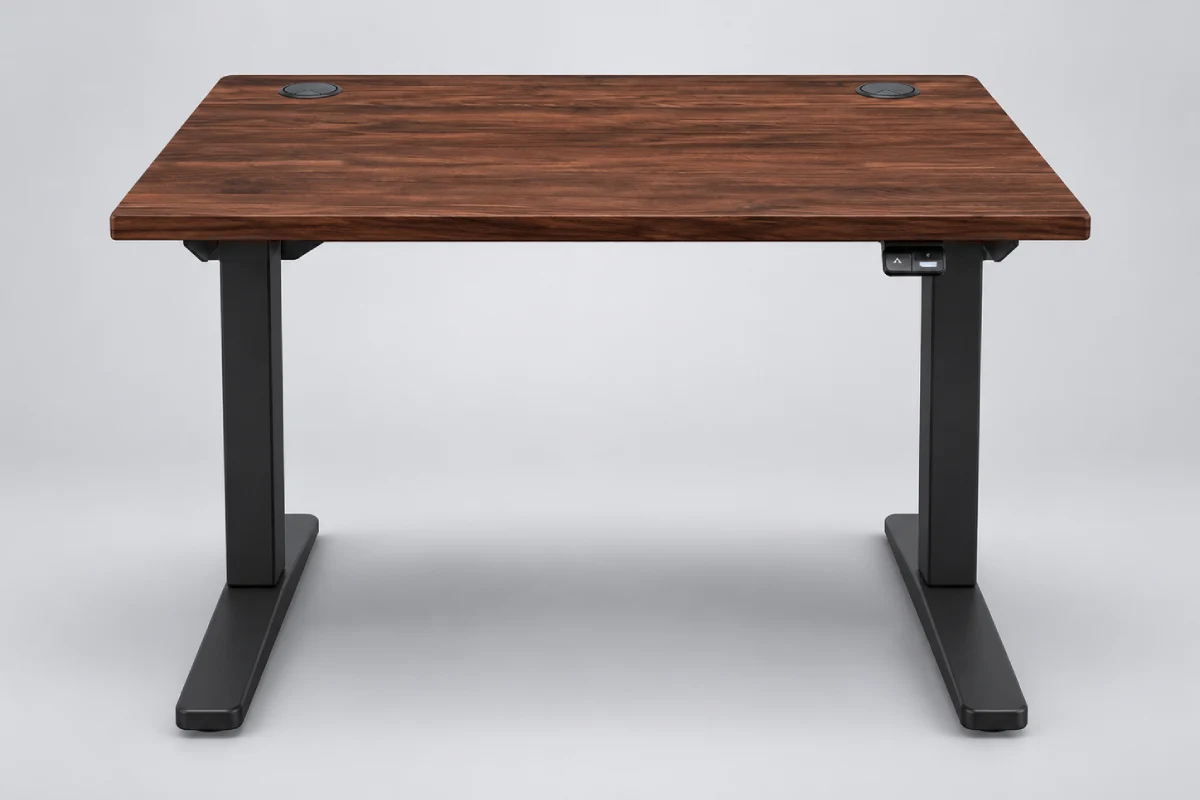
This adjustable electric standing desk lets you easily change between standing and sitting positions throughout your working day. It can be raised using a dual motor raising system. It also has an updated steel frame which will easily support any heavy workspace equipment you have.
One of the most useful features on this desk when looking for best standing desks for small spaces is that it comes in 42 x 30 inch and 48 x 30in desktops.
Key Highlights:
- Dual-motor electric height adjustment
- Adjustable desktop height
- Maximum lifting capacity of 355 lbs, including desktop weight
- Multiple desktop sizes and materials
- C-frame and T-frame configurations
- Included cable management accessories
- Customizable keypad options
- 15-year manufacturer warranty
This standing desk would appeal to those wanting a customisable workspace.
Key Specifications of the UPLIFT V3 Standing Desk
So if you’re looking for the best small standing desks, then it’s important to know some key details about the dimensions, weight capacity and height adjustment.
Below are the official specifications from the manufacturer for the 2 legged UPLIFT V3 standing desk.
| Feature | Specification |
|---|---|
| Brand | UPLIFT Desk |
| Model | UPLIFT V3 |
| Desk Type | Electric Standing Desk |
| Frame Type | C-Frame or T-Frame |
| Motor System | Dual Motor |
| Height Range | 21.6–47.7 inches (frame specification) |
| Desktop Height | Approximately 22.6–48.7 inches, depending on configuration |
| Desktop Sizes | 42–80 inches wide; 24 or 30 inches deep |
| Lifting Capacity | 355 lbs (including desktop weight) |
| Travel Speed | Up to 2 inches per second |
| Noise Level | Manufacturer-rated below 48 dB |
| Frame Material | Formed and welded steel |
| Frame Width Adjustment | 41.3–72.2 inches |
| Cable Management | Included FlexMount Cable Manager and cable wraps |
| Warranty | 15 years |
Important: The frame height and assembled desk height are different measurements. The final desktop height depends on the selected desktop and configuration. Always check the exact configuration before ordering.
1. Compact Desktop Sizes for Small Home Offices
One reason the UPLIFT V3 deserves consideration among the best standing desks for small spaces is its range of desktop dimensions.
Some standing desks can only offer a large desktop. However, UPLIFT have quite a few options.
Available desktop sizes include:
- 42 x 24 inches
- 42 x 30 inches
- 48 x 24 inches
- 48 x 30 inches
- 60 x 24 inches
- 60 x 30 inches
- 72 x 24 inches
- 72 x 30 inches
- 80 x 24 inches
- 80 x 30 inches
If you have limited space in your bedroom office, apartment workspace or corner home office, then a 42″ x 30″ desk will provide just enough space.
You will be able to fit all your essentials such as your laptop, keyboard, mouse and even a small monitor.
If you require more space for your monitor and desk items, then the 48″ x 30″ will be a better option.
Tip: It’s always a good idea to measure up the amount of space you have on the floor. This way, you will ensure there is enough room for your chair, walking space and that you can easily move around your desk.
2. Dual-Motor Electric Height Adjustment
One of the major benefits of the UPLIFT V3 is that it features dual motors.
This means that moving your desktop up and down is much smoother.
It can lift up to 355lbs according to the manufacturer, this includes your desktop.
Its published travel speed is up to 2 inches per second, depending on the load.
If you have multiple monitors, laptops, speakers and accessories then this feature will be useful.
Instead of manually moving your desk you can simply use the electric keypad to move your desktop to your desired height.
For people searching for the best standing desks for small spaces, electric adjustment can be particularly convenient when the desk is used regularly throughout the day.
3. Strong Steel Frame and Improved Stability
One of the major considerations when choosing an electric standing desk is its stability.
A desk that shakes excessively can make typing, writing, and using multiple monitors uncomfortable.
The UPLIFT V3 has been upgraded with a new steel frame meaning that they have larger legs with precision tolerances.
They also have two options of frames;
C-Frame – The legs are moved further back allowing for more space.
T-Frame – A more balanced look.
Both configurations are designed for stability, although the best option depends on your workspace and desktop requirements.
The manufacturer also states that the V3 meets ANSI/BIFMA X5.5-2021 standards for desk and table safety, durability, and structural performance.
For buyers comparing the best standing desks for small spaces, this stronger frame design is an important consideration.
4. Flexible Cable Management for a Cleaner Workspace
The UPLIFT V3 includes a FlexMount Cable Manager and 10 mounted cable wraps to help organize power cables and other workstation connections.
The cable management system provides a convenient place to organize cables underneath the desktop.
This is particularly useful if you use:
- A desktop computer or laptop
- External monitors
- Keyboard and mouse receivers
- Desk lamps
- Phone chargers
- Speakers and other accessories
Keeping cables organized can make a small desk setup look cleaner and easier to maintain.
5. Multiple Desktop Materials and Customization Options
Another factor that makes this UPLIFT V3 stand out from many basic electric standing desks is the customisation options.
Depending on what is available, you can pick from a variety of desktop materials, colours and extras.
Some desktop options include:
- Laminate
- Bamboo
- Butcher block
- Solid wood
- Whiteboard laminate
You can also choose from a variety of colours for the frame, keypad and extras.
This means that it will be easy to find one that fits a modern bedroom office, minimal workspace or professional home office.
However, if you go for high quality materials and extra extras this can really push up the cost of your final purchase.
If you’re looking for the best small standing desks on a budget, you might be better going for the basic laminate option rather than the expensive solid wood option.
6. Programmable Keypad and Convenient Controls
Depending on your model the UPLIFT V3 can come with a variety of keypads.
Basic keypads use constant-touch controls, meaning you need to hold the button while adjusting the desk.
Advanced keypad options provide additional features, which may include:
- One-touch height adjustment
- Programmable height presets
- Keypad lock
- Minimum and maximum height settings
These features can make everyday desk adjustments more convenient.
Before purchasing ensure you know what keypad comes with your chosen model as they vary from model to model.
Real Customer Reviews: What Do UPLIFT V3 Owners Say?
Customer feedback is an important factor when comparing the best standing desks for small spaces.
With its versatility in terms of customization, home office users, remote workers and those wanting to make their own workstation have taken notice of this desk.
The manufacturer’s product page displays a large review count for the UPLIFT V3 product listing. However, buyers should check the individual reviews and selected configuration rather than assuming every review refers to the same desktop size or accessory package.
Here are some great insights from public customer discussion and independent testing:
Positive Customer Feedback
Smooth motor and easy height adjustment
Many owners enjoy how easy it is to adjust the height of this standing desk thanks to a smooth motor action.
The double motor makes transitioning from a sitting to standing position much easier.
Durable design
“I’ve had an UPLIFT before and this one feels much more durable than my old one. I also like how smooth the motor is and how easy it was to fit any accessories.” – June 2026, Reddit owners comment.
Customization Options
The option to personalise your desk including materials for the desktop, size of desktop, colour of frame and extra accessories are appreciated by users.
Negative Customer Feedback
Premium Purchase Price
One common concern is the overall cost.
Although the basic configuration may be more affordable than a fully customized version, premium desktops, power grommets, drawers, and other accessories can increase the final price considerably.
Potential Monitor Movement
Some standing desk owners report that two-leg electric desks can experience movement at taller heights.
One Reddit user specifically discussed monitor vibration with a 72 x 30-inch V3 configuration. This does not mean every V3 desk has the same problem, but it shows why stability should be evaluated with your actual setup.
Shipping and Assembly Considerations
Large desktops can be heavy and awkward to handle. Some owners have also mentioned minor alignment or accessory-placement issues during assembly.
Taking your time and following the installation instructions carefully is important.
Independent Expert Review
This was review by Tom’s Guide after a month of using the UPLIFT V3.
They gave it good marks for the improved stability, ease of assembly as well as cable management and customisation.
However, the review also states that the variety of different configurations may be overwhelming for new buyers and that upgrades can become costly.
Tech Radar Pro also reviewed this product and it had good praise for its build quality, stability and ease of assembly.
Overall, there is general positive feedback from owners and independent reviews about the build quality, customisation features and ease of electric adjustments. However, you should keep the price, heavy desktop and possible wobbling at the highest height in mind.
Customer experiences may vary depending on what material the desktop is, how big it is, what type of floor you have, what type of monitor arms you have and how much your equipment weighs.
Advantages and Disadvantages of the UPLIFT V3 Standing Desk
Be sure to check out the advantages and disadvantages of this one of the best standing desks for small spaces.
Advantages
Compact Desktop Options: The 42 x 30-inch and 48 x 30-inch configurations are suitable for many smaller workspaces.
Dual Motor: Easily adjust your height using the motor system.
Weight limit: Will support up to 355 lbs with the desktop.
Strong Steel Frame: Designed for everyday home office use.
Cable management: Includes cable management.
Multiple Customization Options: Different desktop materials, finishes, and accessories are available.
Programmable keypad options: Advanced keypad allows you to save your favourite working heights.
Long Warranty: Comes with a 15-year manufacturer warranty.
Disadvantages
Expensive: Can become quite expensive if you decide to upgrade any parts.
Heavy Components: Larger desktops and frames can be difficult to move.
Assembly: You will have to assemble your workstation.
Two-Leg Design: There may be some wobbling if you choose to go to the highest height.
Lots of options: If you are new to buying something like this you might get confused when ordering.
Accessories May Cost Extra: Some convenient features require additional purchases.
Overall, the UPLIFT V3 has lots of high-end features but might not be the best option if you just need an inexpensive standing desk.
Who Should Buy the UPLIFT V3 Standing Desk?
This standing desk would be perfect for:
Remote Workers: Those who work from home for several hours and want an adjustable desktop.
Small Home Office Owners: Those who want a small desktop that can be adjusted in height using electricity.
Multi-Monitor Users: Those who need a high weight capacity work station.
Long-Term Buyers: Users who value a long manufacturer warranty and customizable desk components.
Home Office Lovers: Those who want to personalise their workspace with different desktops and accessories.
Who Should Avoid the UPLIFT V3?
This desk may not be the best option if:
- You have a very limited furniture budget.
- You prefer a simple manual standing desk.
- You do not need electric height adjustment.
- You want a lightweight desk that is easy to move frequently.
- You need a desk with integrated drawers and storage as standard equipment.
- You prefer a smaller desktop than the available standard configurations.
In these situations, a less expensive compact electric desk or a fixed-height desk may offer better value.
Frequently Asked Questions
Is the UPLIFT V3 a good standing desk for small spaces?
Yes. The UPLIFT V3 offers compact 42 x 30-inch and 48 x 30-inch desktop configurations. These sizes can work well in small bedrooms, apartments, and compact home offices.
What is the weight capacity of the UPLIFT V3?
The two-leg UPLIFT V3 has a maximum lifting capacity of 355 pounds, including the desktop weight.
Does the UPLIFT V3 have dual motors?
Yes. The UPLIFT V3 uses a dual-motor electric lifting system to raise and lower the desktop.
What is the height range of the UPLIFT V3?
The manufacturer’s frame specification lists a height range of 21.6 to 47.7 inches. The assembled desk height is approximately 22.6 to 48.7 inches, depending on the configuration.
Does the UPLIFT V3 include cable management?
Yes. The desk includes a FlexMount Cable Manager and 10 mounted cable wraps to help organize workstation cables.
Is the UPLIFT V3 easy to assemble?
The redesigned V3 frame is designed for easier assembly. However, larger desktop configurations can be heavy, so having another person available during installation is helpful.
How long is the UPLIFT V3 warranty?
UPLIFT advertises a 15-year warranty for its desk products. Buyers should review the official warranty terms for coverage, exclusions, and applicable conditions.
Is the UPLIFT V3 worth the money?
It can be worth considering if you need a premium electric standing desk with a strong lifting capacity, customizable desktop options, and a long warranty. However, buyers on a tight budget may find more affordable alternatives.
Can I use the UPLIFT V3 with multiple monitors?
Yes. Its 355-pound lifting capacity provides substantial support for a multi-monitor workstation, provided the combined weight of the desktop and equipment stays within the rated limit.
Where can I buy the UPLIFT V3 Standing Desk?
You can check the manufacturer’s official website for current configurations, desktop materials, pricing, warranty information, and shipping availability. Availability and shipping options may vary by country.
Final Verdict: Is the UPLIFT V3 Worth Buying?
The UPLIFT V3 Standing Desk is a premium electric workstation that combines a dual-motor lifting system, a redesigned steel frame, flexible cable management, and extensive customization options.
Its availability in compact desktop sizes makes it a worthwhile option for people comparing the best standing desks for small spaces.
The 42 x 30-inch configuration is especially interesting for small bedrooms, apartments, and compact home offices. It offers a practical work surface without requiring the space of a much larger desk.
However, the UPLIFT V3 is not a budget-friendly choice. Its final price can increase considerably when you select premium desktop materials and optional accessories. Buyers should also consider the weight of the desk and the possibility of some movement at taller settings.
Our Recommendation: If you want a premium electric standing desk with compact desktop options, strong lifting capacity, and extensive customization, the UPLIFT V3 is worth considering. For a smaller workspace, start by comparing the 42 x 30-inch and 48 x 30-inch configurations.
For more information about the UPLIFT V3 Standing Desk, visit the official UPLIFT Desk website to explore its latest features, available configurations, and warranty details. You can also read independent reviews from Tom’s Guide and TechRadar to compare expert opinions and learn more about real-world performance. These trusted sources can help you make a more informed decision before purchasing one of the best standing desks for small spaces.
We recommend buying the UPLIFT V3 Standing Desk if you want a premium, durable, and customizable workstation for your home office. Check its latest price and availability on Amazon before purchasing.
Affiliate Disclosure: As an Amazon Associate, I earn from qualifying purchases. This means I may earn a commission if you purchase through qualifying links, at no additional cost to you. Learn More
How to Choose the Best Standing Desk for a Small Space
The best standing desk is not necessarily the smallest or the most expensive; it is the one that fits your room, accommodates your equipment, and easily adjusts to a comfortable working height. When comparing the best standing desks for small spaces, consider desktop dimensions, height adjustment, stability, and cable management to find an option that suits your workspace and daily needs.
For Small Apartments Standing Desk: How to Choose
When looking for a standing desk for your small apartment there are a few things to consider. Firstly you should check the size of your floor space and the size of your desk, such as 32″ or 40″. This will give you an idea if there will be enough room for your chair and desk. Secondly, check the desk has storage included such as drawers or keyboard tray. Also check it has a cable management system to help keep your cables tidy. Lastly, check what weight the desk can hold. Choose one with a smooth motor or preset memory control panel so you can easily adjust the height. This will make your work day much easier and comfortable.
Standing Desk for Families: A Smart Workspace Solution for Every Home in 2026
A Family Standing Desk makes for a great addition to any home. Whether parents are working from home, students doing their homework or you’re just using your computer for everyday tasks, a height adjustable Standing Desk can provide everyone in the family with a flexible workstation.
The primary benefit of using a Family Standing Desk is that it can be adjusted to the correct height. It can be easily adjusted to ensure it is suitable for adults and older children. This makes it perfect in shared home offices, study areas and small living areas.
When choosing a Standing Desk for your family make sure it has a strong frame, easy height adjustments and plenty of desktop area. Electric desks with height memory settings can also be ideal. If you have children in the family then you should prioritize a stable, safe and monitored desk.
Final Thoughts: best standing desks for small spaces
Choosing among the Top 5 best standing desks for small spaces comes down to balancing size, comfort, features, and budget. The ErGear Electric Standing Desk may be worth considering for a compact electric setup, while the HUANUO offers an option for users interested in a smaller desk with storage. The Claiks Electric Standing Desk may suit those who need a wider work surface, the FlexiSpot Comhar EG8 stands out for its integrated organization features, and the UPLIFT V3 Compact Standing Desk is worth exploring for its customizable setup options. Comparing their dimensions, height ranges, stability, and features can help you choose the right desk for your small home office.
Before purchasing one of the best standing desks for small spaces, measure your room, confirm the exact model specifications, and compare current prices and warranty terms. If you need help planning your workspace, read our guide on how to create a small home office for practical tips on choosing furniture, arranging your desk, and making the most of limited space. Consider your available floor space, equipment needs, and preferred working height before making a decision. A well-planned desk setup can help you make better use of a small home office without filling the room with unnecessary furniture.
If you also need creative inspiration on how to lay out your home office furniture, check out these 15 small desk setup ideas for small spaces to design a stylish working area.